
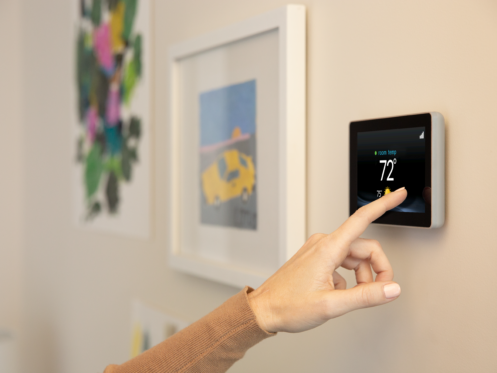
Thermostats are supposed to make your home feel easier to manage, though many homeowners end up confused once the screen suddenly says “Hold” and the schedule stops behaving normally. One button can completely change how your heating and cooling system runs, especially if someone pressed it accidentally or forgot it was turned on days ago. At Joyce Cooling & Heating Inc., in Nashua, NH, we help homeowners understand how their HVAC systems and controls work together so small thermostat settings do not turn into larger comfort or energy problems.
What Does Hold Mean on a Thermostat?
Many homeowners first notice the Hold setting after the house suddenly stops following its usual heating or cooling schedule. One day the temperature changes automatically in the morning and evening like it always does. Then suddenly it stays fixed at one number all day long. That usually means the thermostat was placed into Hold mode.
What does Hold mean on thermostat settings? In simple terms, Hold tells the thermostat to stop following the programmed schedule and maintain one chosen temperature continuously until someone changes it manually. If the thermostat normally adjusts itself throughout the day, Hold temporarily overrides that schedule.
This can be useful in certain situations. If you are home during hours when the thermostat normally saves energy, you may want the house to stay cooler or warmer than usual for the day. Some homeowners also use Hold during vacations, holidays, or stretches of unusually hot or cold weather when they want a more stable indoor temperature without constant schedule changes.
A lot of homeowners turn it on without realizing what changed. Other times the thermostat enters Hold after a manual adjustment and stays there until Run mode is restored.
What Does Run Mean on a Thermostat?
Run mode puts the thermostat back on its normal schedule. Instead of locking the system into one constant setting, Run tells the thermostat to follow the programmed schedule normally again. If your thermostat lowers the temperature while you are away during the day and adjusts again before bedtime, Run mode is what allows those scheduled changes to happen automatically.
When homeowners ask about Hold vs. Run on thermostat settings, this is usually the biggest distinction. Hold keeps the system fixed at one chosen setting. Run returns control back to the programmed routine.
For many homes, Run mode creates better energy balance because the thermostat adjusts itself based on when people are usually home, asleep, or away. A properly programmed thermostat can reduce unnecessary heating and cooling during unused hours while still keeping the house comfortable when people are present.
For most homes, Run is the setting that makes daily life easier. The schedule handles the adjustments automatically. The system cycles normally, the house stays more predictable, and homeowners do not need to keep making manual changes every day.
When Hold Mode Makes Sense
Hold mode is not a mistake by itself. Sometimes it is the more practical setting. If your schedule changes for several days, constantly overriding the thermostat manually can become annoying. Hold lets you temporarily maintain one setting without fighting against programmed changes every few hours.
For example, if someone is staying home sick for several days, the normal daytime setback schedule may no longer make sense. The house may feel uncomfortable once the thermostat starts adjusting for an empty home even though people are inside all day. Hold allows you to keep the indoor temperature more stable until the normal routine resumes.
Some homeowners also use Hold during gatherings, holidays, or stretches of extreme outdoor weather when they want fewer temperature swings throughout the day. Others use it when troubleshooting comfort problems because it removes scheduled changes from the equation temporarily.
Most issues happen when someone forgets the thermostat was left in Hold for days or weeks. That can increase heating and cooling costs because the system keeps maintaining the same setting around the clock instead of following a more balanced schedule.
How to Turn Off Hold on Thermostat Settings
Once homeowners realize Hold mode is active, the next question is usually how to turn off Hold on thermostat controls. In most systems, switching back is simple. Pressing the Run button or selecting “Resume Schedule” returns the thermostat to its programmed settings. Some smart thermostats handle this differently depending on the brand, though the basic idea stays the same.
Older programmable thermostats often have dedicated Hold and Run buttons directly on the screen. Smart thermostats may hide the setting inside menus or scheduling controls instead. Some systems also use temporary Hold settings that cancel automatically after a few hours, while permanent Hold settings stay active until someone changes them manually.
That’s why thermostat settings can feel inconsistent from one model to another. Two thermostats may use the same words while handling scheduling differently behind the scenes. A temporary override on one model may become a permanent Hold on another.
If the thermostat seems stuck, ignores schedule changes, or does not respond properly after switching between Hold and Run, the issue may involve programming errors, wiring problems, outdated controls, or HVAC communication issues instead of the settings themselves.
Why Thermostat Settings Affect Comfort More Than People Expect
Small thermostat changes influence how long the HVAC system runs, how evenly the house heats or cools, and how stable the indoor environment feels throughout the day.
For example, constantly adjusting the thermostat manually can create uneven comfort patterns that make the system work harder than necessary. Switching between large temperature swings can also make some homes feel stuffy or inconsistent, especially during hotter or colder seasons when the equipment already runs more frequently.
The thermostat also affects how homeowners perceive HVAC performance. Sometimes people think the heating or cooling equipment is malfunctioning when the real issue is that Hold mode was activated accidentally or the programmed schedule no longer matches the household routine.
When Thermostat Problems Point to Larger HVAC Issues
Not every comfort issue comes from thermostat settings alone. Sometimes the thermostat is responding correctly while the HVAC system struggles underneath. Weak airflow, uneven room temperatures, delayed cycling, frozen coils, or equipment that runs constantly can all create symptoms homeowners first notice through the thermostat.
Older thermostats can create problems, too. Some lose calibration and display inaccurate readings. Others struggle communicating with newer HVAC equipment or fail to control temperature changes consistently. Wiring issues behind the thermostat can also create confusing system behavior that looks like programming trouble at first.
Keep Your Thermostat Working With Your Schedule, Not Against It
The Run and Hold settings control whether your thermostat follows its programmed schedule or stays locked at one temperature. Sometimes that flexibility helps. Other times it leaves homeowners wondering why the house suddenly feels warmer, colder, or different from the normal routine.
Joyce Cooling & Heating Inc. also helps homeowners with thermostat replacement, HVAC diagnostics, heating and cooling repairs, system maintenance, and indoor comfort concerns that affect how well the equipment responds to thermostat settings. If your thermostat settings are causing confusion or your HVAC system is not responding the way it should, call us and let us help you get things working normally again.
